| "Outlook
Express" Screen Shots |
3
of 4
|
"How
to set up Outlook to work with your email accounts"
These next few
windows will complete the account set-up. Here you will fill out
your general information including your name, email address,
server names and logon information.
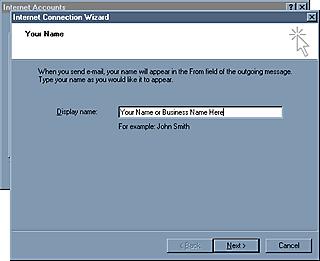
This first window
is self explanatory. The name you type in will appear in the from
field of the recipient's mail box, thus notifying them who it was
sent from.
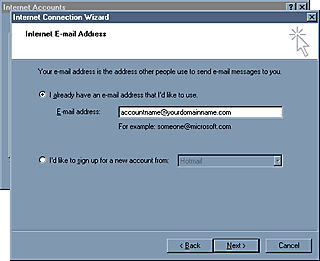
The second
window, as well, is simple enough to understand. Type the E-Mail
address of the account you are setting up.
Please
click on the next button in the window below to continue.
click here to continue
......................................................
|


