¿The Questions?

Click on any Question to get the Answer!

How do I set up Outlook Express to check my E-Mail Accounts?

How do I set up Netscape Mail to check my E-Mail Accounts?

How do I check my E-Mail Accounts using a web browser?

.


............................

Glossary Links

Click here to Browse our Glossary of Webkosmos & Internet Terms!

.

............................

Quick Jump

FAQ HOME PAGE
GLOSSARY HOME PAGE
QUICK TIPS

.

............................


¡The Answers!

"Netscape 6 Mail Client" Screen Shots

2 of 6

"How to set up Netscape 6 Mail Client to work with your email accounts"

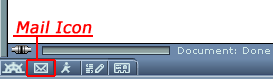
Open your Netscape 6 browser. Located in the bottom left hand corner of the browser is a Mail Icon. Click on the icon to open the Netscape 6 Mail Client.


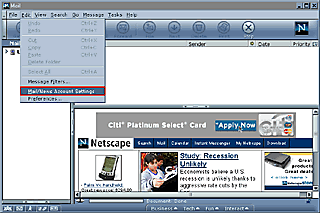
In the Mail window select "Edit" from menu then select "Mail/News Accounts Settings".


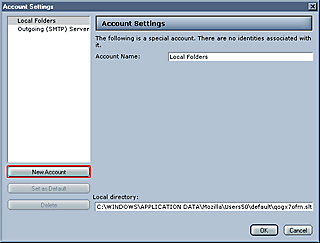
This will bring you to the Account Settings window shown below. Click on the "New Account" Button to add your new E-Mail account.

Please click the red outlined button that says "New Account" to continue


click here to continue

......................................................

Submission Forms

"Hey! At least they are not Medical or Insurance Forms!"

Graphic Options Questionnaire:
  Designing Your Web Site
Catalog Questionnaire:
  Designing Your Photo Gallery
Webkosmos Newsletter:
  Sign Up It's Free
Got Questions?:
  Ask the Experts
Feedback:
  Your Thoughts
......................................................